

Skip to content

    PHONELESS PRESS RESOURCES

    Get to know PhoneLess. Try the tools.

    Product facts, a small selection of owned artwork and a practical checklist for journalists, reviewers and creators evaluating PhoneLess.

    Download on the App StoreGet it on Google Play

    Short product description

    PhoneLess is a digital wellbeing and productivity app for iPhone and Android. It helps people put boundaries around distracting apps, protect time with Focus Sessions, share progress with friends and take on challenges.

    Quick facts and official links

    Use the official links below for the product’s current availability. Exact subscription prices, billing periods, renewal terms and any eligible trial appear in the app and store confirmation.

    PhoneLess app icon
    Product
    PhoneLess
    Category
    Digital wellbeing and productivity
    Verified platforms
    iPhone (iOS) and Android
    Main features
    • App blocking
    • Focus Sessions
    • Shared progress with friends
    • Solo and group challenges
    Access
    Free download with in-app purchases. Pro adds advanced history, customization, challenge modes and group upgrades. Availability and offers vary.
    Official website
    www.phoneless.app
    Official stores
    App StoreGoogle Play
    Public contact
    admin@phoneless.app

    In the news

    Logos and illustrative product images

    These are existing PhoneLess brand assets and previously published product illustrations. Keep their captions with the images. The iPhone images contain English interface text; they are not Android screenshots or evidence of customer outcomes.

    For another format or a current-release screen you cannot verify, contact us before describing an illustration as the live interface.

    PhoneLess sparkle app icon

    PhoneLess app icon

    Existing PhoneLess icon artwork. Transparent PNG; keep its proportions and colors.

    PNG · 512 × 512 px

    Download PNG
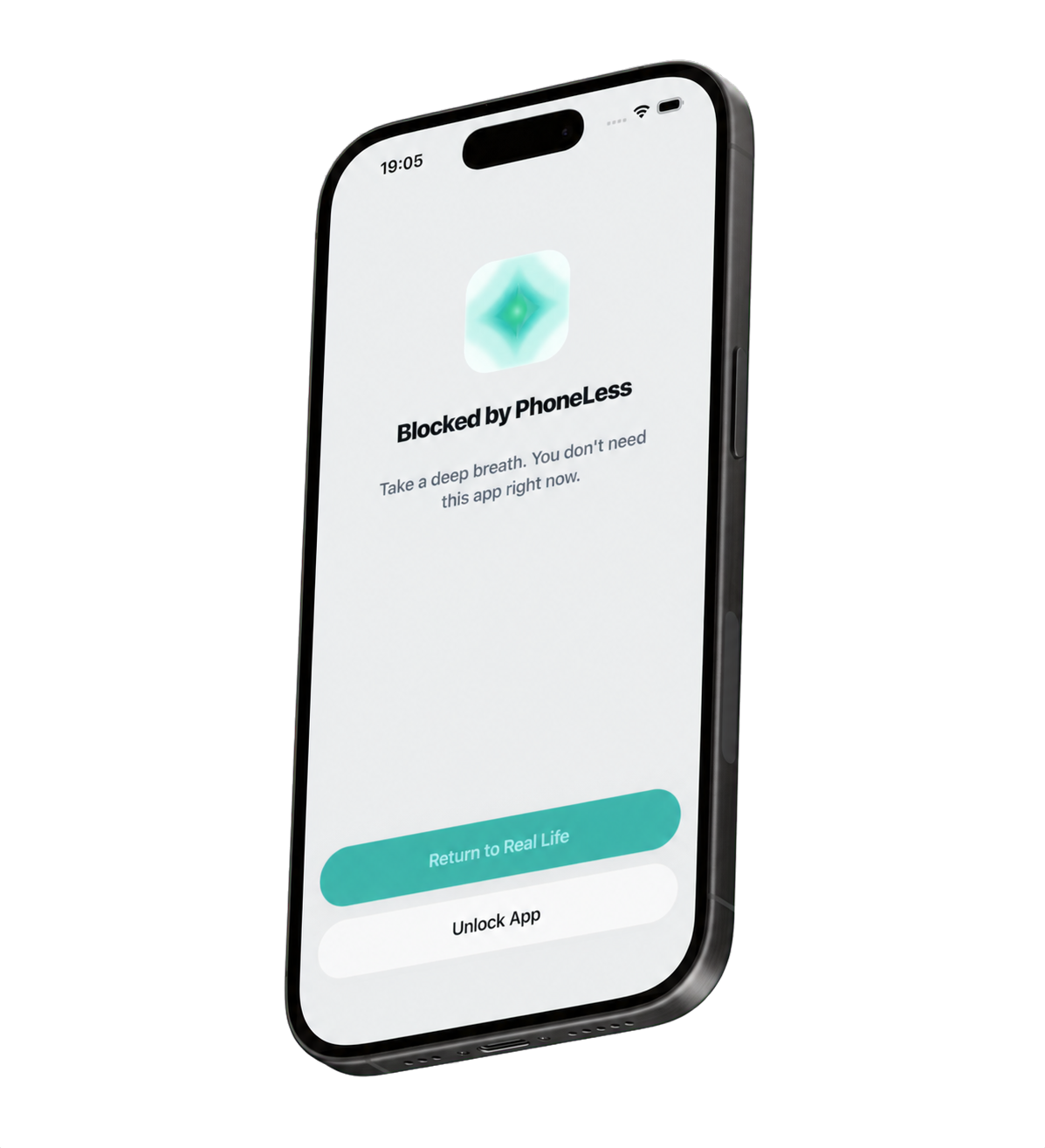
    Previously published iPhone illustration of a PhoneLess app-blocking screen in English

    App-blocking illustration

    Illustrative iPhone artwork · English interface. Previously published product image, not a verified current-release walkthrough. Screens and available controls can vary.

    PNG · 1197 × 1315 px

    Download PNG
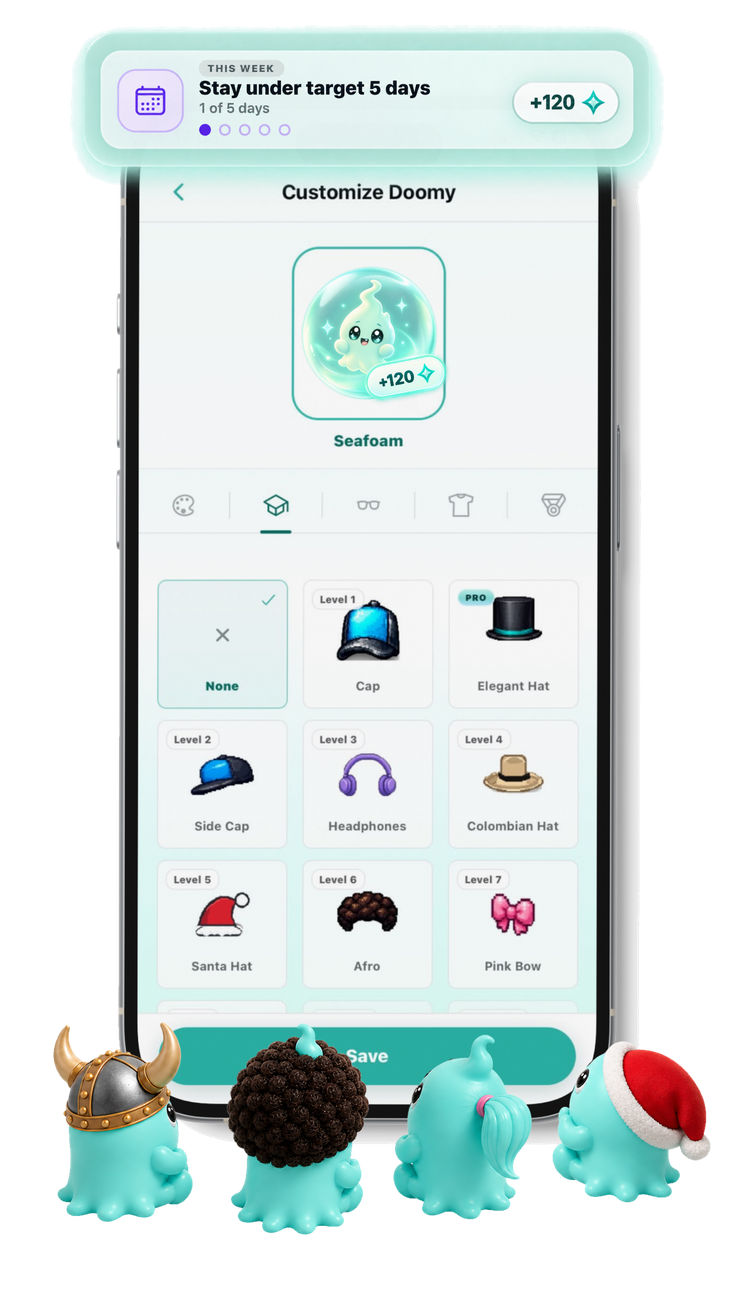
    Previously published iPhone illustration of Doomi colors and accessories, with an English interface and example points

    Doomi customization illustration

    Illustrative iPhone artwork · English interface. The goals, points and accessories shown are examples, not a current reward specification or a customer result.

    PNG · 751 × 1300 px

    Download PNG

    A practical reviewer checklist

    Record the date, device, app version and access available to your test account. Use accounts you control and friends who agree to take part. Follow the setup and rules shown in the released app.

    1. 1. Download and complete setup

      Choose the verified listing for your device and complete setup and the permissions needed for the tools you will test. Review feature access before accepting a paid offer.

    2. 2. Try an app boundary

      Choose a nonessential distracting app and an available Blocking Contract rule. Try opening the chosen app during the block, then read that mode’s break and exit rules. Device permissions still matter.

    3. 3. Start a Focus Session

      Choose a manageable duration offered in the app and the apps to block. Observe the session’s start and end. Distinguish that timed period from a recurring Blocking Contract.

    4. 4. Try a group with consenting testers

      Create or join a group, check its visibility and what it shares, and compare progress with the other testers. If you configure a social Blocking Contract, inspect its temporary-break request separately from ordinary encouragement.

    5. 5. Read and try a challenge

      Choose an available challenge and read its target, duration, success rules and access conditions before joining. The published iPhone seven-day rules use at least five target days solo or daily wins with friends; a first-day test does not verify the whole week.

    Keep the findings specific

    A short test can show how a control works on your device; it does not establish typical savings or effectiveness for everyone. Note which modes you tried and which permissions, access conditions or longer challenge periods you could not verify.

    Keep other people’s data out of published captures. If you need to install from an invitation, keep the original link and return to it after setup, or use its group code where requested.

    Contact PhoneLess

    For product questions, asset clarification or support, use the established public contact below. The About page and separate manifesto offer more context.

    Make room for life beyond the scroll.

    Set your own boundaries, or bring friends into the plan. Choose your store to get started.

    Download on the App StoreGet it on Google Play

    Free to download. Some features require PhoneLess Pro. Check current access and offers in the app.