
SCREEN TIME, WITH FRIENDS
Make your progress something you share.
Build accountability around the progress you choose to share. A PhoneLess group gives you progress to talk about, challenges to take on, and social blocking when you deliberately choose it.

Free to download. Some features require PhoneLess Pro; check current access and offers in the app.
See progress. Encourage each other.
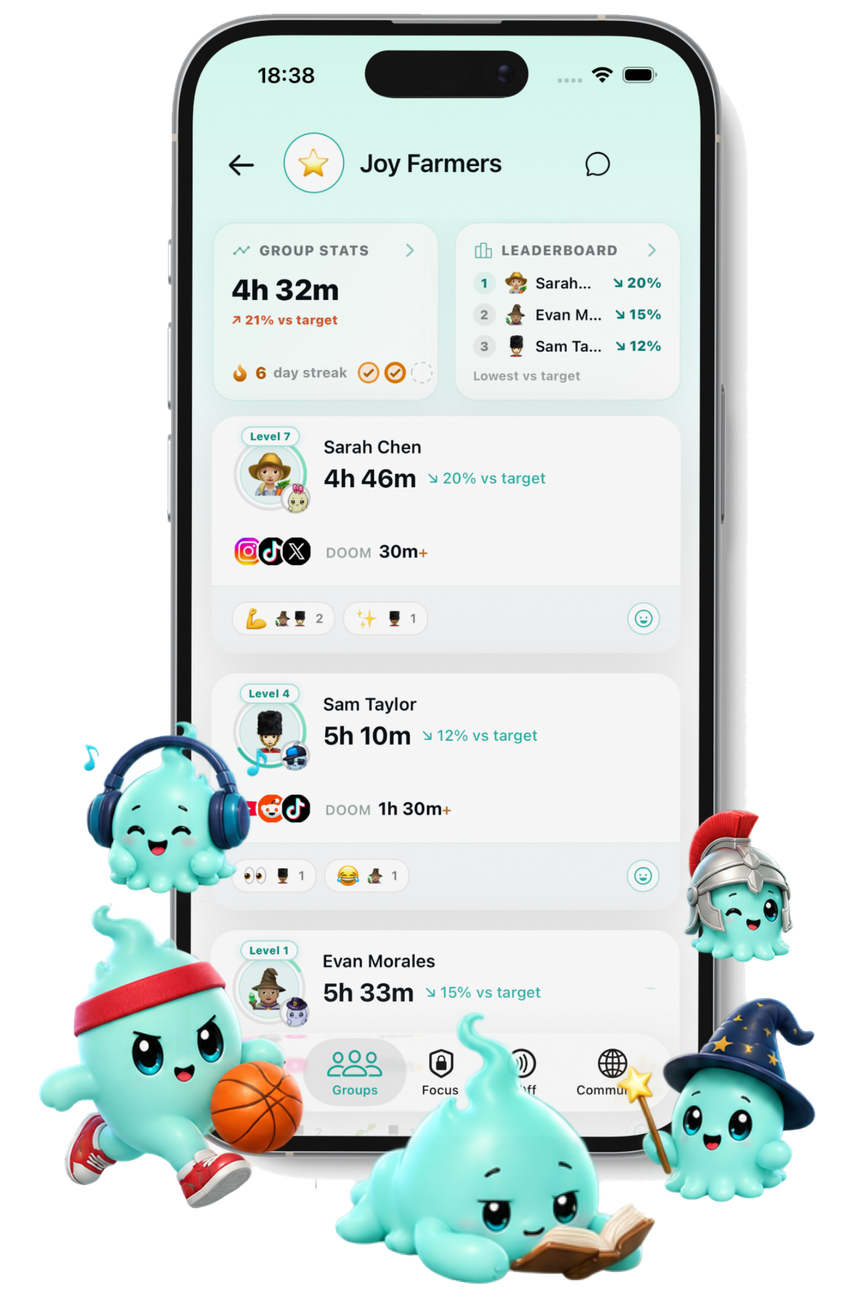
Groups bring screen-time progress into a shared space. Compare progress, discuss a difficult day and take on a group challenge instead of keeping every goal to yourself.
Choose a group whose visibility and members you are comfortable with. Do not assume every group is private. A group invitation joins a particular group; a friend referral code is a different flow.
Give the group a challenge to work on
Choose a challenge in the app and read its target, timing and success rules together. A shared goal and a competition are different ways to stay involved; do not assume one rule applies to every challenge.
The built-in seven-day friends competition counts daily wins across the week. Some other challenges use target-based success instead. Available challenge modes and Pro access are shown in the app.
How to join your friends
Install PhoneLess, complete setup and account creation, and open the group invitation your friend shares. Follow the app’s joining instructions or enter the group code where requested.
If you need to install first, keep the invitation and return to it after setup. The website-to-store journey does not automatically carry the group invitation into a fresh installation.
Before joining, check the group’s visibility, its members and the information you will share. You can also use PhoneLess on your own; a group is optional.
Know what your controls change
Leaving a group stops future screen-time sharing with that group; it does not erase history already shared. You can manage the feature settings available to you. Contract changes can be subject to the stricter mode you chose.
Revoking device permissions can stop tracking or blocking. When PhoneLess detects a permission change, accountability features may make it visible to your groups. Do not rely on disabling permissions being invisible.
For the data-handling and deletion details, read the existing privacy policy. Blocking another member is not the same as leaving a shared group; do not treat it as a way to remove shared-group visibility.
Read the privacy policyMake room for life beyond the scroll.
Set your own boundaries, or bring friends into the plan. Choose your store to get started.
Free to download. Some features require PhoneLess Pro. Check current access and offers in the app.
A friend-approved break is a choice you configure
A social Blocking Contract adds an approval step around the apps covered by that contract. You can ask selected eligible friends to approve a temporary break. They can approve or decline; sending a request is not approval.
An approved break temporarily lifts that contract’s block for its granted window. It is not permission to unlock your whole phone or a promise that every other active block disappears.
This is different from ordinary group encouragement. Solo contracts, Focus Sessions and Deep Challenges follow their own break and exit rules. You do not need a friend’s approval for every PhoneLess action, and some stricter modes have additional access conditions.